Select your Language
Please, select a language for this page

AudioLink
These support guides will help you handle and care for your AudioLink.
Watching TV
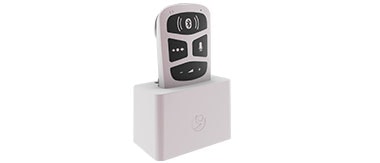
You can use AudioLink together with the docking station to hear the TV more clearly from across the room.
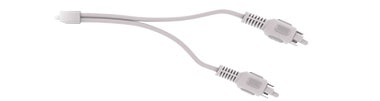
Connect the docking station to your TV using the provided RCA (or cinch) cable.
Open the rubber socket cover and place AudioLink into the docking station.
Switch on your TV to start streaming.
By default, your audio input is a mix of the TV signal and the audio processor microphone signal. You can change the setting by pressing the mix button or using the AudioKey 2 app.

Refer to your user manual for more information.

About Cochlear Implants
Find a Cochlear Implant Clinic Near You
Pros and Cons of Cochlear Implants
Cochlear Implant Surgery
How Do Cochlear
Implants Work?
What Does a Cochlear
Implant Sound Like?
Cochlear
Implants and MRI
Can I Enjoy Music With a Cochlear Implant?
Children's Cochlear Implants
Cochlear Implants for Single-Sided Deafness
Product Reliability
Data


