
RONDO
Audio Processor
These support guides will help you handle and care for your RONDO Audio Processor.
Changing the Batteries
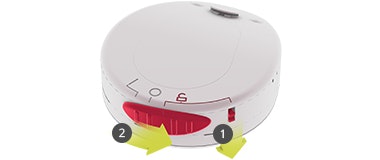
Hold down the release lever 1.
Slide the switch to the unlock position and lift the battery pack up 2.
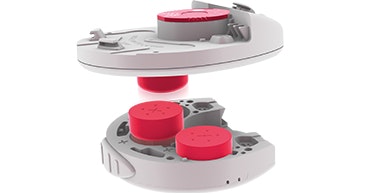
The bottom side of the control unit can be used to easily lift the batteries out of the battery pack.
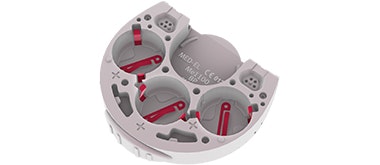
Make sure the contacts are clean.
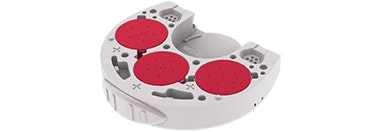
Remove the foil from batteries and insert the batteries with positive (+) poles facing out.
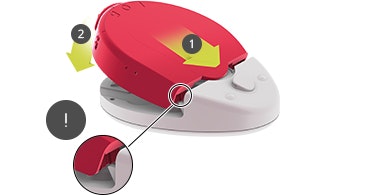
Close Battery Pack
Slide the battery pack into the control unit 1, push down 2, and slide the switch to the locked position (O).
Note the mechanism that secures the control unit to the battery pack.
Battery Options

Refer to your user manual for more information.

About Cochlear Implants
Find a Cochlear Implant Clinic Near You
Pros and Cons of Cochlear Implants
Cochlear Implant Surgery
How Do Cochlear
Implants Work?
What Does a Cochlear
Implant Sound Like?
Cochlear
Implants and MRI
Can I Enjoy Music With a Cochlear Implant?
Children's Cochlear Implants
Cochlear Implants for Single-Sided Deafness
Product Reliability
Data


