
SAMBA 2
Audio Processor
These support guides will help you handle and care for the SAMBA 2 Audio Processor.
Optional Accessories
Thanks to its advanced hearing technology, you don’t need any additional accessories to use your SAMBA 2. However there are two handy accessories available, which you can use for your own convenience.
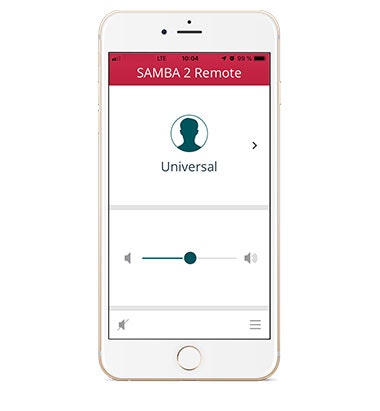
SAMBA 2 Remote
The SAMBA 2 Remote is an optional mobile app which can assist with switching between simple
audio processor settings, as predefined by your audiologist or healthcare professional. The SAMBA 2 Remote app is available for both iPhone and Android, and can be downloaded separately from your app store.
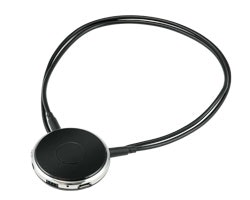
SAMBA 2 GO
SAMBA 2 GO is
an optional assistive listening device which can be used to stream sound from your mobile phone, TV, tablet, and many other devices. It can help with making hands-free phone calls, and brings the sound from your device straight to your ears.
Additionally, SAMBA 2 GO can assist with switching between simple audio processor settings, as predefined by your audiologist or healthcare professional. SAMBA 2 GO is available separately.

WaterWear
WaterWear is a waterproof cover that provides water protection for SAMBA 2. Only silver-oxide or alkaline batteries should be used with WaterWear.
Find out more about WaterWear for SAMBA 2.

Refer to your user manual for more information.
About Cochlear Implants
Find a Cochlear Implant Clinic Near You
Pros and Cons of Cochlear Implants
Cochlear Implant Surgery
How Do Cochlear
Implants Work?
What Does a Cochlear
Implant Sound Like?
Cochlear
Implants and MRI
Can I Enjoy Music With a Cochlear Implant?
Children's Cochlear Implants
Cochlear Implants for Single-Sided Deafness
Product Reliability
Data


