
RONDO 3
CI Audio Processor
These support guides will help you handle and care for the RONDO 3 Audio Processor.
Activating the Flight Mode
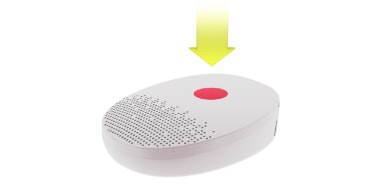
Activate the flight mode whenever you board a flight or enter an environment where RF transmissions are prohibited.
- Switch off the audio processor and wait at least 2 seconds.
- Switch on the audio processor and wait until the main indicator light blinks blue for the first time.
- Repeat steps 1 and 2.
- Repeat steps 1 and 2 again.
- Repeat steps 1 and 2 one more time.
- The main indicator will briefly blink red to confirm that the flight mode has been successfully activated. If you do not see the red light, repeat steps 1 to 5.
Deactivating the Flight Mode
- Switch off the audio processor and wait 2 seconds.
- Switch on the audio processor.

Refer to your user manual for more information.

About Cochlear Implants
Find a Cochlear Implant Clinic Near You
Pros and Cons of Cochlear Implants
Cochlear Implant Surgery
How Do Cochlear
Implants Work?
What Does a Cochlear
Implant Sound Like?
Cochlear
Implants and MRI
Can I Enjoy Music With a Cochlear Implant?
Children's Cochlear Implants
Cochlear Implants for Single-Sided Deafness
Product Reliability
Data


