
SAMBA 2 GO
These support guides will help you handle and care for your SAMBA 2 GO.
Streaming with SAMBA 2 GO
Phones, TVs, FM systems—you can connect SAMBA 2 GO to almost any device! SAMBA 2 GO will then wirelessly send the audio from these devices straight to your audio processor.
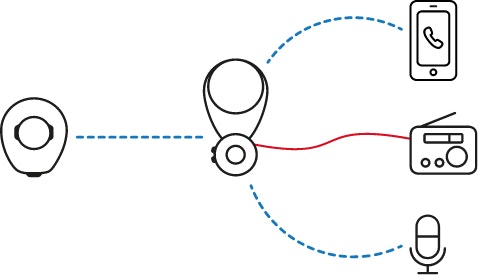
Audio Streaming Functions
These functions can be used while streaming from any device.
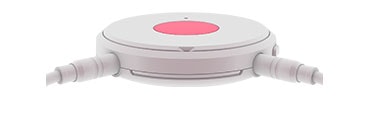
To start streaming from a Bluetooth® device, start audio playback on that device.
To start streaming from a device connected by cable or an FM receiver, plug the device into SAMBA 2 GO.
To stop streaming from any device or FM receiver, press the multi-function button for 1-2 seconds until the blue LED turns off.
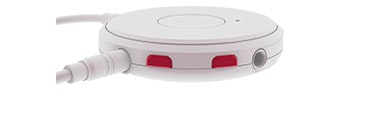
To change volume, press the upper or lower volume button.
To mute your audio processor microphones, press the upper and lower volume buttons simultaneously for 1 second. You will now only hear sound from your audio device.
The Bluetooth® word mark and logos are registered trademarks owned by the Bluetooth SIG, Inc. and any use of such marks by MED-EL is under license.

Refer to your user manual for more information.

About Cochlear Implants
Find a Cochlear Implant Clinic Near You
Pros and Cons of Cochlear Implants
Cochlear Implant Surgery
How Do Cochlear
Implants Work?
What Does a Cochlear
Implant Sound Like?
Cochlear
Implants and MRI
Can I Enjoy Music With a Cochlear Implant?
Children's Cochlear Implants
Cochlear Implants for Single-Sided Deafness
Product Reliability
Data


