
FineTuner Echo
These support guides will help you handle and care for your FineTuner Echo Remote Control.
Pairing With Audio Processor
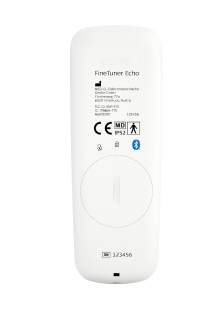
Before using the FineTuner Echo, you have to pair it with your audio processor.
Switch off your audio processor. Place the coil or single-unit audio processor on the back of the FineTuner Echo.
Switch on your audio processor. It will pair automatically with the FineTuner Echo.
Once it is successfully paired, the symbol below will be displayed on the screen.

If you use SONNET 3 and your FineTuner Echo is not pairing with your audio processor, make sure you are using the newer version of FineTuner Echo with the small Bluetooth® symbol on the back.
The Bluetooth® word mark and logos are registered trademarks owned by the Bluetooth SIG, Inc. and any use of such marks by MED-EL is under license.

Refer to your user manual for more information.

About Cochlear Implants
Find a Cochlear Implant Clinic Near You
Pros and Cons of Cochlear Implants
Cochlear Implant Surgery
How Do Cochlear
Implants Work?
What Does a Cochlear
Implant Sound Like?
Cochlear
Implants and MRI
Can I Enjoy Music With a Cochlear Implant?
Children's Cochlear Implants
Cochlear Implants for Single-Sided Deafness
Product Reliability
Data


