
SAMBA
Audio Processor
These support guides will help you handle and care for the SAMBA Processor.
Changing the battery
Hold SAMBA between your fingers. First open one side of the battery compartment, then open the other side.
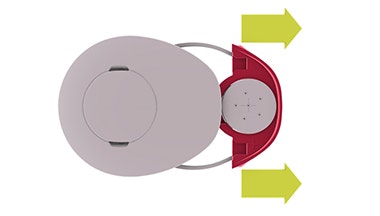
Open the battery compartment until the battery is completely visible. Turn SAMBA upside-down carefully, allowing the battery to drop out.
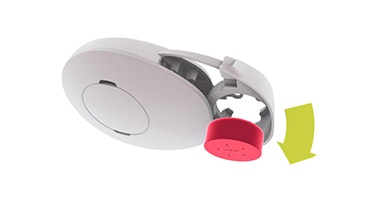
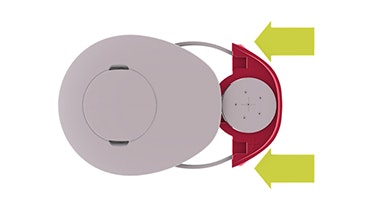
Take a new battery and remove the foil. Place the battery in the audio processor’s battery compartment. Slide the battery compartment into the audio processor.
Battery Options
Use only type 675 batteries to power your SAMBA. When you use SAMBA with the WaterWear accessory, however, you must substitute zinc-air batteries with one of the other types.
| Maximum battery life | Requires oxygen supply | Compatible with WaterWear | |
| 675 Zinc-Air Batteries | 60 hours | ||
| 675 Silver-Oxide Batteries | 6 hours | ||
| 675 Alkaline Batteries | 15 hours |

Refer to your user manual for more information.

About Cochlear Implants
Find a Cochlear Implant Clinic Near You
Pros and Cons of Cochlear Implants
Cochlear Implant Surgery
How do Cochlear
Implants Work?
What Does a Cochlear Implant Sound Like?
Cochlear Implants and MRI Safety
Can You Hear Music With a Cochlear Implant?
Cochlear Implants for Single-Sided Deafness
Product Reliability Data


