
RONDO 2
CI Audio Processor
These support guides will help you handle and care for the RONDO 2 Audio Processor.
Charging RONDO 2
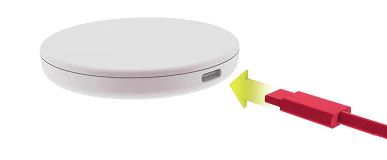
Plug the USB cable into the wireless charger.
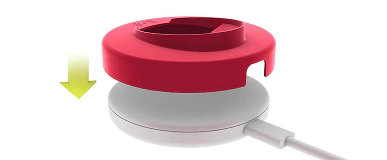
Optional: Put the charging tray on top of the wireless charger.
Plug the other end into the wall plug adapter or the USB port of your computer, TV, tablet etc.
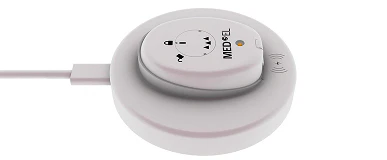
Switch off RONDO 2 and place it in the indentation on the charging tray. If you are not using the charging tray, place RONDO 2 in the center of the wireless charger. The charging indicator light and the MED-EL logo must face upwards.
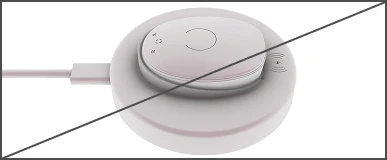
Make sure RONDO 2 is placed correctly onto the wireless charger.
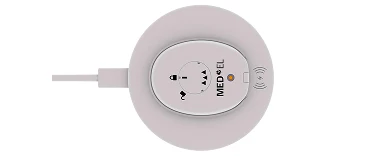
The orange indicator light shows that RONDO 2 is charging. When the light goes off, RONDO 2 is charged. This should take around 5 hours.
Wireless charger and charging tray not manufactured by MED‑EL.

Refer to your user manual for more information.


